Convert WebP to JPG
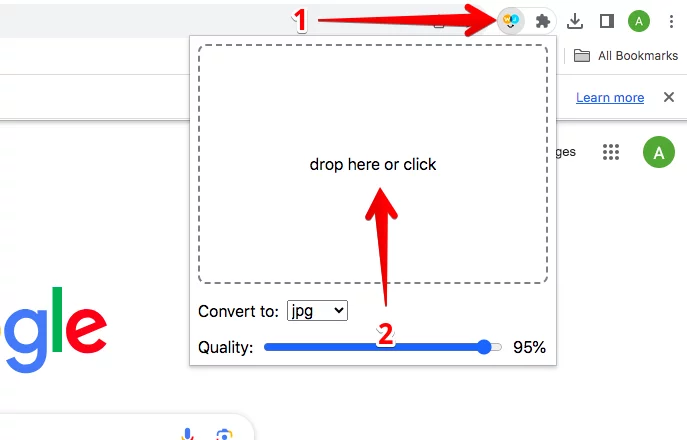
Here is how you can activate the converter:

2 Ways to Convert WebP Images
1
- Convert files from your computer
Convert files from your computer using the "drop here or click" area:
• Drag a file to the area, or
• Click on the area and select a file from your computer.
• Drag a file to the area, or
• Click on the area and select a file from your computer.
2
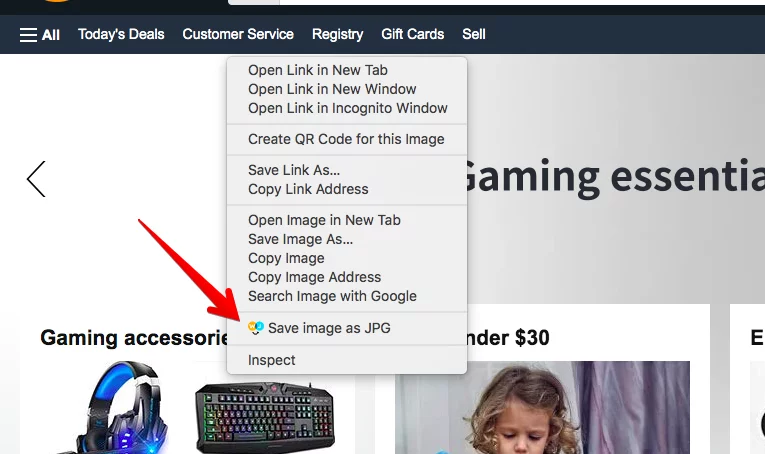
2. Save file from any website as JPG
Right-click on any image and choose "Save image as JPG"